
The answered line
A line that answers when you cannot, and says only what you told it
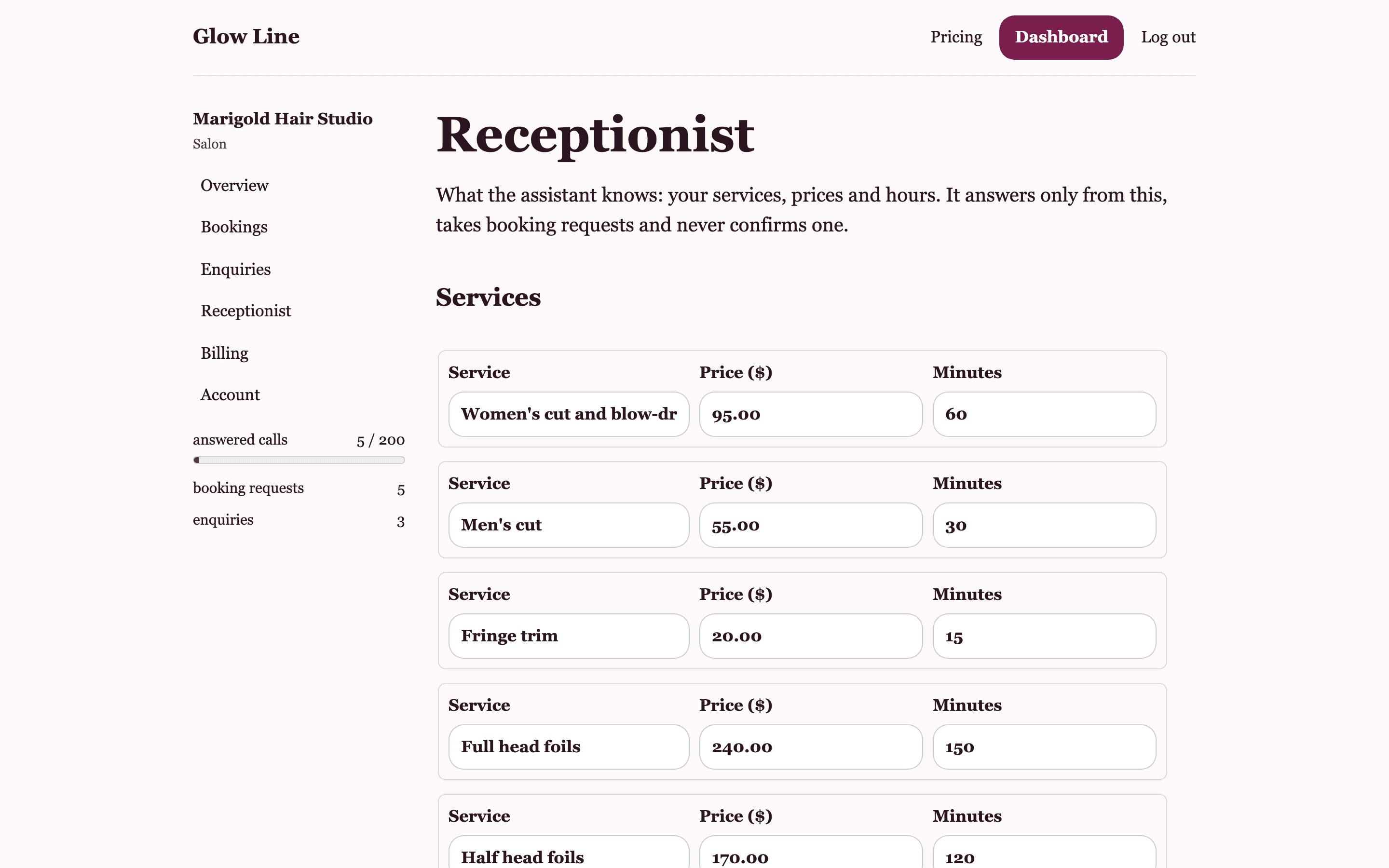
On the Line and Salon plans, Glow Line buys you an Australian phone number. You divert unanswered calls from your mobile or salon phone to it. The assistant answers in an Australian voice, introduces itself as the virtual assistant for your team, and works from the list you saved: services, prices, durations, hours and notes.
How a call reaches the assistant
Nothing about your existing number changes. Your phone company's call divert sends calls you did not pick up to your Glow Line number after about twenty seconds. The Receptionist page in your dashboard shows the divert code for Telstra, Optus and Vodafone, and the code to switch it off. If you prefer, you can publish the Glow Line number on its own and let every call go to it.
- Divert code shown for Telstra, Optus and Vodafone
- Switch the divert off with one code when you want the phone back
- One number per account, bought when you press the button
What it says first
Every call opens with the same line: thanks for calling your business name, this is the virtual assistant for the team. Callers know from the first sentence that they are not speaking with you. Nobody is tricked into thinking a person picked up, and nobody is left on hold.
What it will and will not say
The assistant answers only from your saved list. It can tell a caller the price and length of any service you listed, whether you are open on Sunday, and anything in your notes, such as where to park. For anything else, it says it is not sure and that the team will confirm. It never invents a price, a service, a time or a policy, and it never takes payment details.
- Quotes only the prices you typed
- Says it is not sure rather than guessing
- If someone asks for a person, it says the team is with clients, offers a call back and takes a message
Your monthly allowance and the ceiling
Line includes 40 answered calls a month and Salon includes 200. Calls past the allowance are still answered; each one is marked on your Bookings page and the text you receive carries a note. The line keeps answering up to twice your allowance, so 80 on Line and 400 on Salon. Past that, callers hear a short notice asking them to text or email the business, and the call ends. Usage resets on the first of each month, Melbourne time.
Before you get the number
The Get my phone line button stays off until you have saved your services and hours, because the assistant has nothing to say without them. The number is bought only on a paid plan that is paid up. If a payment fails and the plan lapses, the line stops connecting until a plan is chosen again. When a paid plan ends, the number is given back to the carrier, and a new one is bought the next time you are on a paid plan.
Questions about the answered line
Can I choose the number?
No. Glow Line takes the next available Australian number. You can keep your own business number public and divert to the Glow Line number behind it, so clients never need to learn a new one.
Can I pick the voice or give it a name?
Not yet. Every Glow Line uses the same Australian voice and opens as the virtual assistant for the team. What it knows is yours: the services, hours and notes you saved.
What if someone rings outside my hours?
The assistant still answers. It can tell them your hours for each day, take a booking request for when you are open, or take a message. It does not decide when you are closed; your saved hours do.
Will it answer when I am on Free?
No. The Free plan has a booking page and an enquiry inbox, no phone line. The line starts on Line at $29 a month.
Related
Goes with
Services and hours
The profile the assistant and the booking page work from: each service with a price and duration, hours by day, notes.
Read moreCall summaries
A text to your mobile after every answered call: the booking request, or a short summary of the message.
Read moreBookings
Booking requests from calls and from your page, in one list, each with a tap-to-text link to confirm.
Read moreGive the phone to someone who only says what you told them
Set up your services and hours, share the booking page, and add the line when you are ready. Free to start, no card.