
Services and hours
One list, and everything Glow Line says comes from it
The Receptionist page in your dashboard is where you tell Glow Line what you offer. Each service has a name, a price in dollars and a duration in minutes. Each day has an opening and closing time or is marked closed. A notes box takes anything else the assistant should know. The assistant answers from this and nothing else.
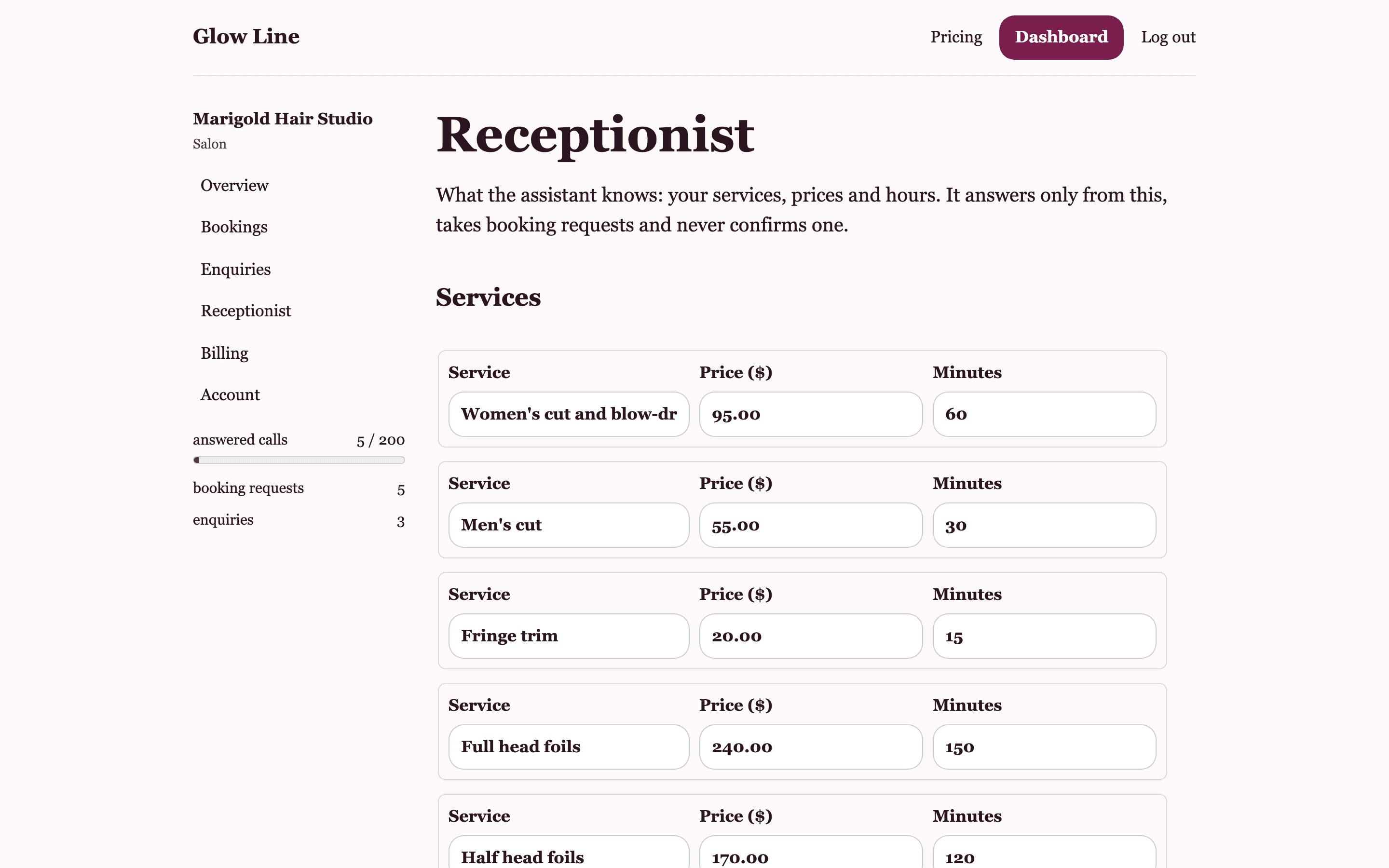
Services
Up to thirty services, each with a name, a price and a length in minutes. Name them the way clients ask for them: women's cut and blow dry, full head foils, lash fill (2 weeks), gel removal. If a price depends on a consultation, put the from price and say so in notes, or leave the service off the list altogether; a blank price is saved as $0.00, not as unknown.
- Name, price and minutes for each
- Up to 30 services
- The same list feeds the booking page drop-down
Hours
An open and close time for each day of the week, or a Closed tick. The assistant tells callers your hours when asked and knows a Sunday request is for a day you do not open. It does not know about public holidays unless you change the day or write it in notes.
Notes
Up to 2,000 characters of plain words for the assistant: parking, where to wait, what to bring, your deposit rule, how far ahead you book, which stylist does colour corrections. If a caller asks and the answer is in notes, the assistant uses it. If not, it says it is not sure and that the team will confirm.
Saving and updating
Press Save and the assistant is updated straight away on the paid plans; the next call uses the new list. Prices change, a therapist leaves, you close for a week: edit and save. There is nothing to retrain.
Questions about services and hours
Can I list a price range?
Each service takes one price. For colour work that varies, list a from price and explain in notes that the final price is confirmed at consultation. Do not leave the price blank: a blank price is saved as $0.00 and the assistant will quote that.
What happens before I save any services?
On a paid plan the Get my phone line button stays off until services and hours are saved. The booking page shows a plain text box for the service instead of a drop-down.
Can I have a different list for a second location?
One account holds one list and one line. A second location is a second account.
Give the phone to someone who only says what you told them
Set up your services and hours, share the booking page, and add the line when you are ready. Free to start, no card.