
Booking page
A booking page you can share today, with no phone line needed
Every Glow Line account has a booking page at /book/ followed by your own code. It lists the services you saved and asks a client for their name, mobile, the service, when suits them and anything else. They are told you will confirm by text. On Free it is the whole product; on paid plans it is the web front door beside the phone line.
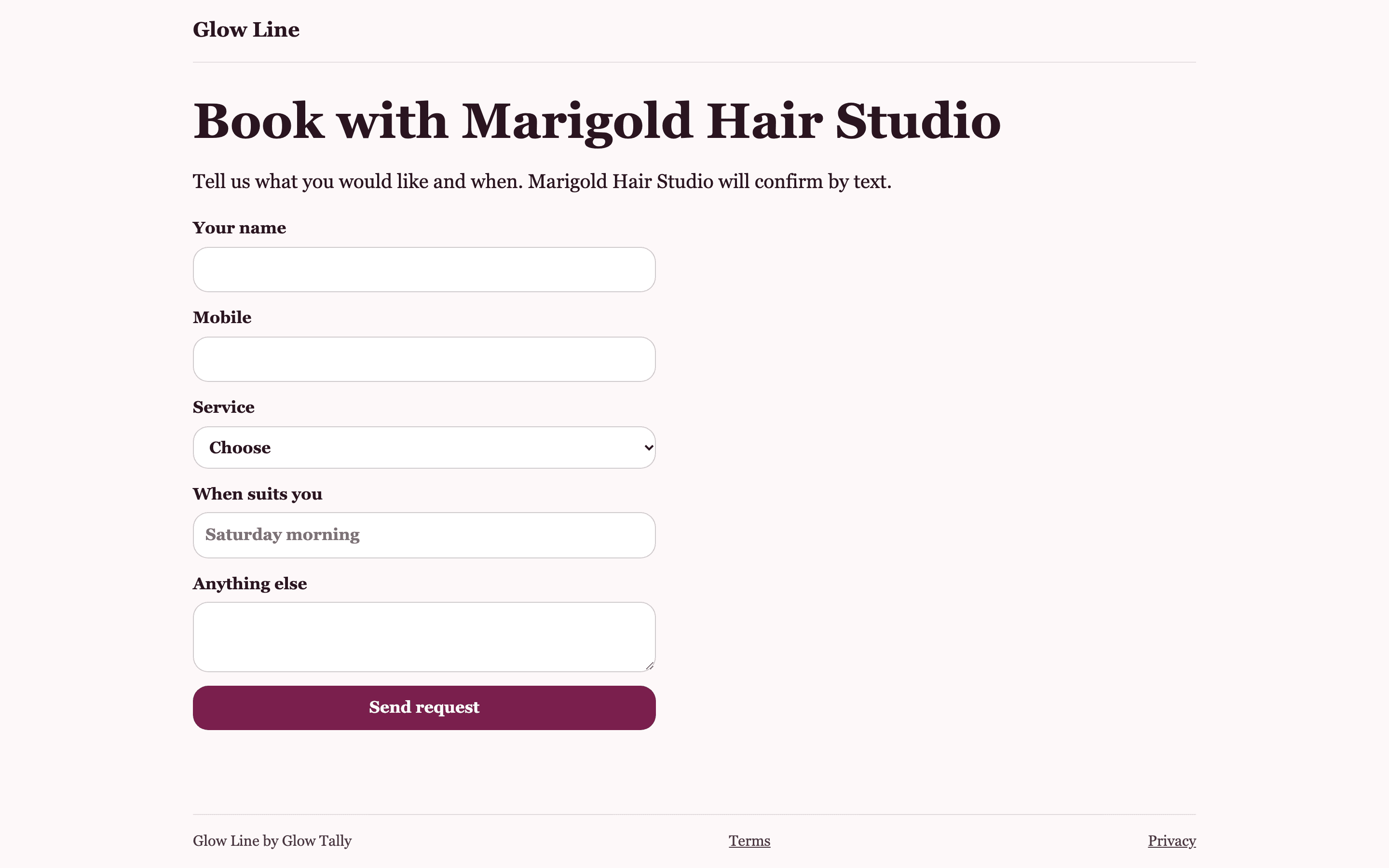
What a client sees
Your business name, one line explaining that you will confirm by text, and a short form. The service field is a drop-down of the services you saved, so a client picks a lash fill rather than typing something vague. When suits you is a free box, so Saturday morning or any weekday after 4 both work.
- Services from your saved list, as a drop-down
- Name and an Australian mobile required
- A free-text box for timing and a note
Where to put the link
Your Instagram and Facebook bios, your Google Business Profile booking link, your email signature, and your voicemail greeting on Free, where there is no line to answer. A short line such as request a time at this link does the job. The page needs no app and no account from the client.
The monthly allowance
Free includes 10 booking requests a month from the page. When that is used, the page tells a client that bookings are full for the moment and asks them to call instead, and the dashboard shows where you stand. Line and Salon have unlimited booking requests. The count resets on the first of the month.
Where requests go
Straight onto your Bookings page, marked booking page, with the mobile as a tap-to-text link. There is no text to your phone for a page request; the text after each call is for the phone line. Check the Bookings page between clients, or start your day there.
Questions about booking page
Is the booking page free?
Yes. It is on every plan. Free includes 10 requests a month; Line and Salon are unlimited.
Can I change the services the page shows?
The page shows the services on your Receptionist page, the same list the assistant works from. Edit them there and the page updates.
Does the client get a confirmation?
The page thanks them and says to expect a text. That text comes from you, when you have checked the book, from the link on their request.
Give the phone to someone who only says what you told them
Set up your services and hours, share the booking page, and add the line when you are ready. Free to start, no card.